Preparing Your Office Before the Cleaner Arrives : The Ultimate Guide to a Clear Desk Policy
Commercial Cleaning 101 Hub
Preparing Your Office Before the Cleaner Arrives
The Ultimate Guide to a Clear Desk Policy
Many businesses assume that once professional cleaners arrive, they can simply clean everything in sight. In reality, cleaners can only clean the areas they can safely and physically access.
The Hidden Obstacles to a Deep Clean:
- A desk covered with paperwork cannot be properly disinfected.
- Boxes stored under workstations prevent thorough vacuuming.
- Loose cables create immediate safety hazards.
- Confidential documents should never be handled by external cleaning staff.
Spending just a few minutes preparing the office before each scheduled cleaning visit allows your cleaning team to work more efficiently, deliver better results, and drastically reduce the risk of accidental damage.
The Core Strategy
One of the simplest ways to maximize your cleaning results is by implementing a formal Clear Desk Policy.

A tidy workstation maximizes cleanable surface zones.
Why Professional Office Cleaners Don’t Move Everything
Many people wonder why cleaners wipe around computer monitors or stacks of paper instead of lifting them to clean underneath. The answer is simple: Professional office cleaners are strictly trained to avoid moving client property unless they have been specifically authorised to do so.
Moving active office equipment or unorganized paperwork introduces unnecessary liabilities and operational disruptions, including:
 Disconnecting vital computer or network cables
 Damaging fragile monitors, screens, or laptops
 Misplacing critical or time-sensitive active documents
 Mixing up paperwork between adjacent employee desks
 Breaching confidentiality or data protection laws
 Accidentally throwing away important items mistaken for waste
Rather than creating these operational risks, cleaners focus strictly on the areas they can safely and openly access. This protective boundaries strategy safeguards both your business assets and the cleaning crew.
What Cleaners Can Usually Move
While professional office cleaners generally avoid touching valuable, private, or complex electronic items, they are fully equipped to reposition lightweight, predictable objects where appropriate to ensure a thorough clean.
 Depending on your agreed scope of work, cleaners will routinely move:
- Waste bins
 Lightweight task chairs
 Small floor mats
 Empty recycling bins
 Simple, closed desk organisers
Please Note: Heavy furniture, main desktop computing equipment, loose paperwork stacks, and high-value personal belongings are always left completely untouched unless specific procedural arrangements have been established in advance.
Food Should Never Be Left Overnight
Food waste left out at workstations creates far more than just unpleasant morning odours. Even tiny crumbs or unrinsed sugar residues act as an immediate invitation for pests.
 Over-night Clutter Rapidly Attracts:
Before logging off and leaving the office for the day:
- Dispose of all leftover food items.
 Empty and rinse individual drink containers and mugs.
 Seal personal snacks tightly in airtight containers.
 Wipe up obvious desk spills where practical.
 Pro-Active Workplace Habit
Encourage a “Clear After Every Meal” routine: Since many corporate cleaning services operate on a scheduled or part-time basis, trash bags inside desk bins shouldn’t sit waiting until evening collection.
Prompting employees to discard their lunch wrappers and drink packaging directly into centralized bins outside office immediately after eating is a simple, highly effective habit that contributes to a substantially healthier, odour-free workplace.
 Frequently Asked Questions
Everything you and your team need to know about keeping our workplace clean and optimized.
Q. Should employees clear their desks every single day?
Ideally, yes. Spending just two to three minutes resetting your workstation at the end of each day allows our cleaners to wipe down the surface thoroughly rather than dodging items. It also sets you up for an organized, stress-free morning.
Q. Do office cleaners move computer monitors, personal tech, or laptops?
No. Professional office cleaners have strict guidelines never to move electronic equipment or fragile setups unless specifically instructed by management. This policy eliminates the risk of accidental screen damage, broken ports, or disconnected cables.
Q. Is a Clear Desk Policy strictly about data security?
While protecting client confidentiality and printed records is a major component, it is equally about hygiene and health. Dust, environmental allergens, and surface bacteria accumulate heavily around desk clutter. Clean paths mean a deeply sanitized workspace.
Q. Do employees need to empty their own desk waste bins?
Typically, professional office cleaners empties waste bins during their scheduled routine visits. However, if your cleaning services are part-time, employees should always dispose of raw food waste, leftover sticky liquids, or sweet wrappers in the centralized kitchen pantry bins right away to stop overnight pest attraction.
Q. What exactly happens if a desk is left cluttered?
To avoid disrupting active work, cleaners will only clean around your items. Areas hidden beneath stacks of paperwork, tech clutter, or scattered personal items will remain unvacuumed and unwiped until the surface becomes accessible.
 Final Thoughts
Preparing your office before the cleaner arrives isn’t about doing the cleaner’s job. It’s about giving professional office cleaners safe, unobstructed access to the surfaces they have been engaged to clean.
 Just as an IT technician needs physical access to a computer chassis to perform maintenance, a cleaning specialist needs access to actual surfaces to effectively sanitize and vacuum them.
Implementing a consistent Clear Desk Policy yields immediate, systemic dividends that reach far beyond cosmetics:
 Data Security: Minimizes exposure of private client prints.
 Risk Mitigation: Eliminates accidental hardware drops/breaks.
 Workplace Hygiene: Drops deep-seated pollen and mold baselines.
 Professionalism: Projects crisp operational focus to visitors.
With just two to three minutes of mindful preparation at the close of every workday, your team can instantly maximize cleaning quality, lower facility overheads, and secure a healthier workspace for everyone.
Ready to Transform Your Workplace Hygiene?
Maximize Your Commercial Cleaning Efficiency Today
Don’t let desktop clutter stand in the way of a deeply sanitized, allergen-free office. Partner with a dedicated commercial cleaning provider or stock up on professional-grade maintenance essentials directly through our shop.
 Shop Commercial Cleaning Supplies
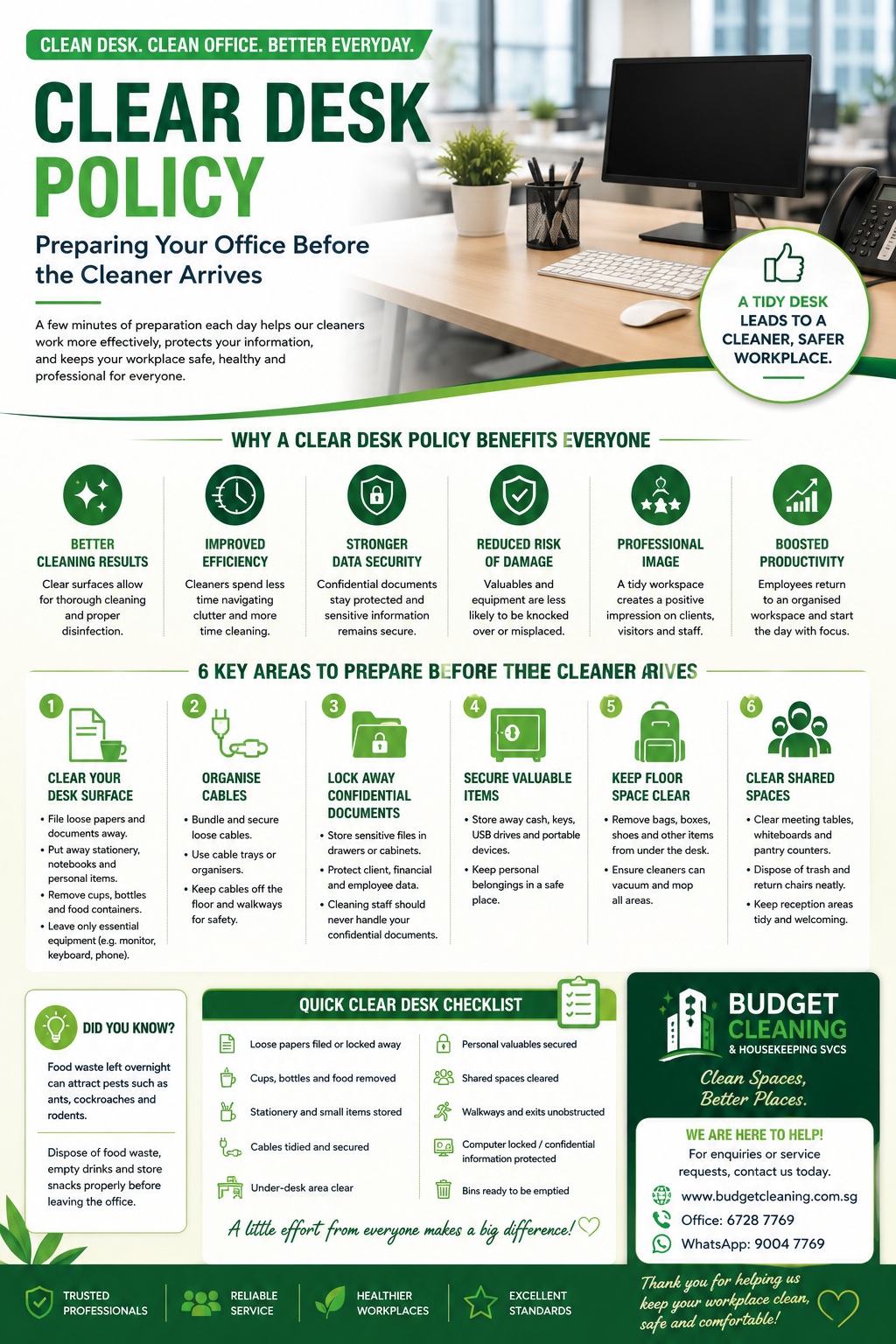 Download Clear Desk Poster
Tailored scheduling solutions and premium, reliable cleaning products to support your facility’s daily routine.
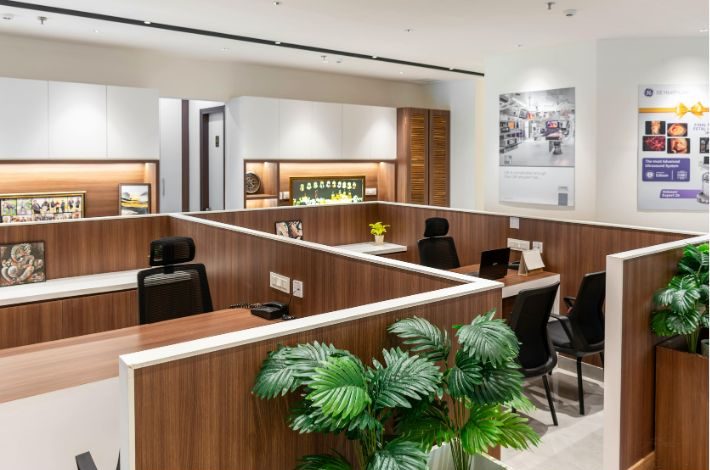
A tidy workstation maximizes cleanable surface zones.
Learn more about official corporate facility safety practices on the Workplace Safety and Health Council.